
Choosing Your Medicare Part D Plan
A Step-by-Step Guide
Follow the steps below to enter your medications, review options and find the Part D plan that best fits your needs.
Table of Contents

Before You Get Started
- Recent changes to Prescription drug plans have affected how insurance agents can assist clients.
- Most insurance carriers no longer allow agents to assist with enrollment or servicing of standalone Part D plans.
- Because of this, clients must enroll directly through Medicare.gov or the insurance company.
- HTA created this guide to help you navigate the process.
- While we do not receive commissions for Part D plans— we’re happy to answer any questions before you complete your enrollment.

Information to Gather
Before you go to the Medicare website, have these items sitting next to you:
-
- Your Medicare Card (You’ll need your Medicare Number and start date)
- Your current Prescription Bottles
- Name(s) of your Preferred Pharmacies
Tip: Using the exact medication name and dosage helps Medicare.gov estimate the most accurate costs.
Step 1: Create Your Medicare.gov Account
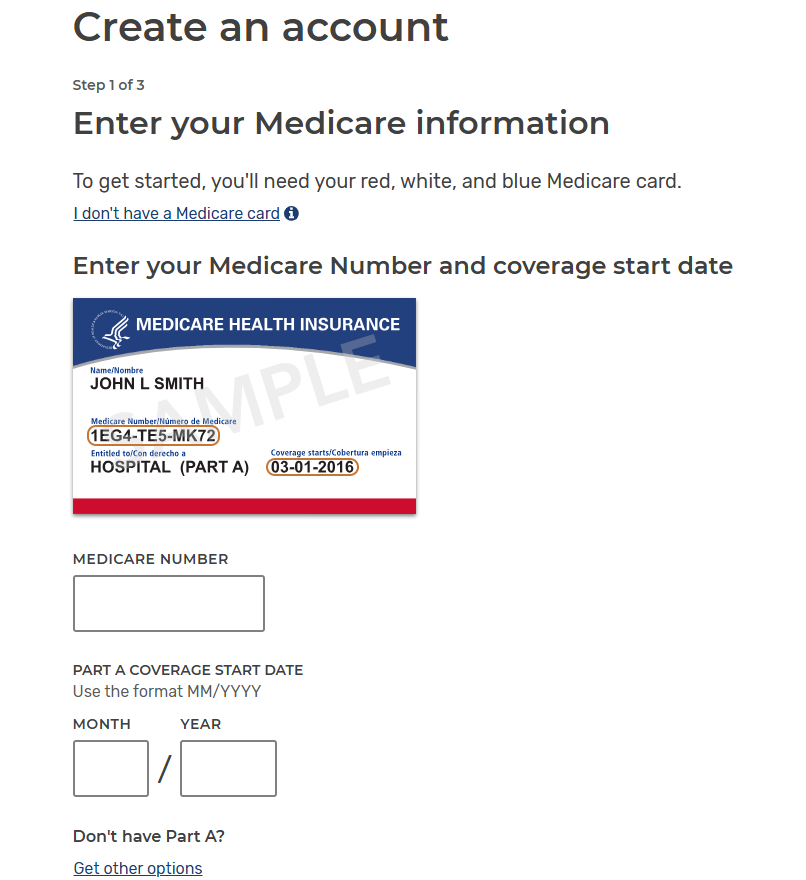
Once you receive your Medicare number, you should create a Medicare.gov account. This allows you to save your prescriptions and compare drug plans accurately.
Steps to create your account:
-
- Go to www.Medicare.gov
- Enter your Medicare # and Start Date
- Follow the steps to create a username and password
- Complete the account verification process
Step 2: Add Your Prescriptions
Steps to enter medications:
-
- Click Health & Drug Plans at the top of the page
- Select Find Health and Drug Plans
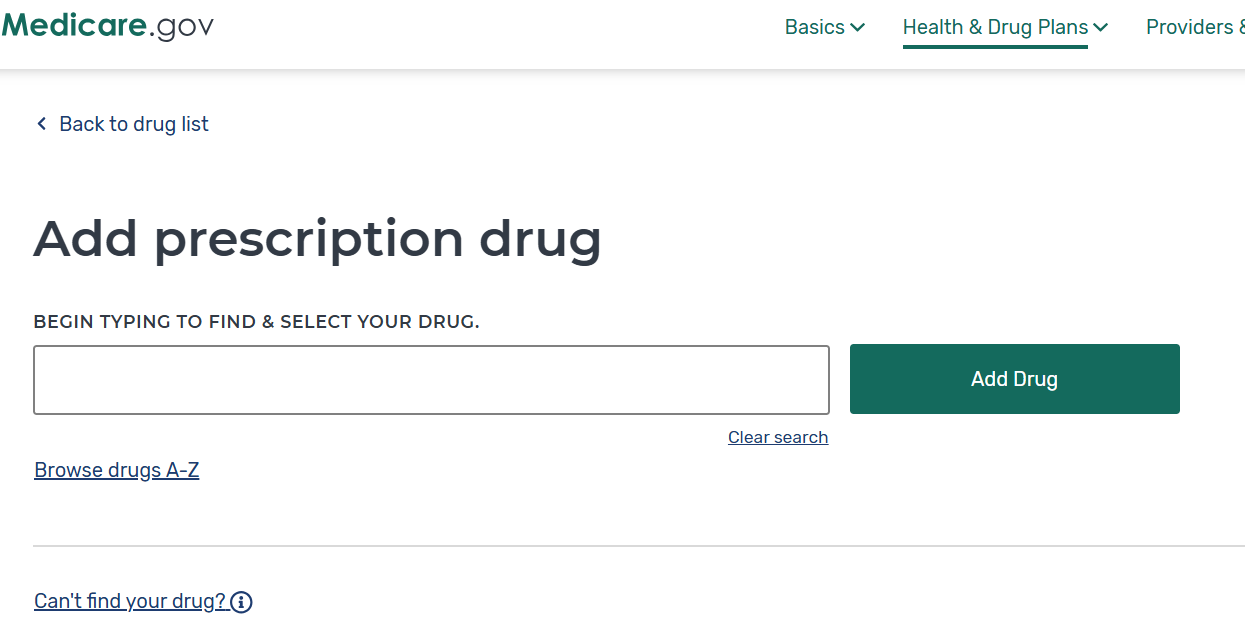
- Under Your Drug List, click + Add a Drug
- Begin typing the name of your medication
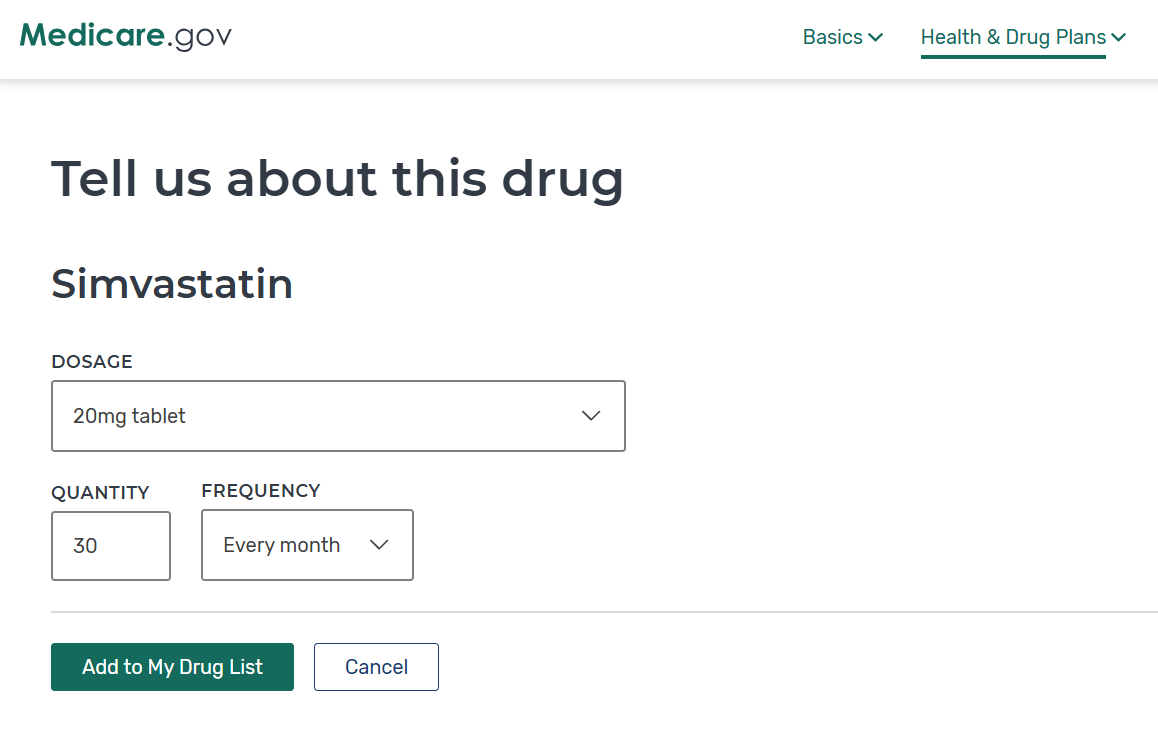
- Select the correct dosage and how often you take the medication
- Click Add to My Drug List
- Repeat this process for all active prescriptions
Tip: Using the exact medication name and dosage helps Medicare.gov estimate the most accurate costs.
Step 3: Choose Your Pharmacy
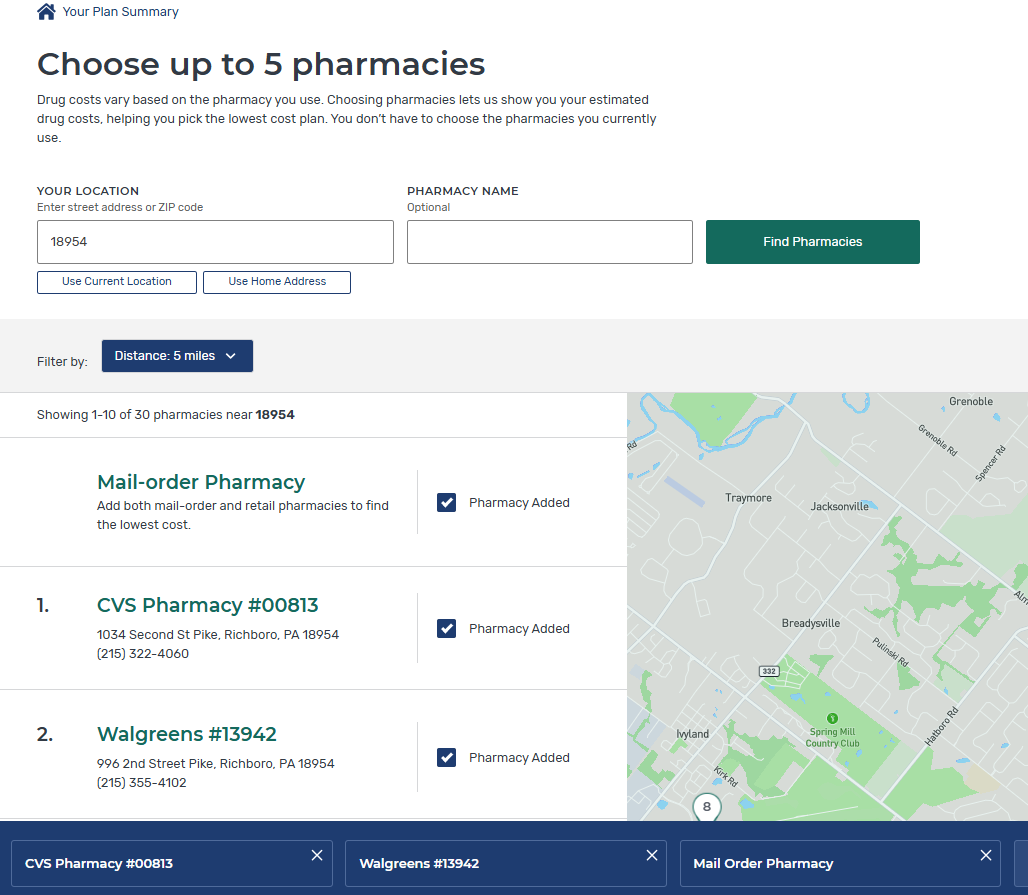
Once your medications are entered, Medicare.gov will ask you to select a pharmacy. Prescription drug costs can vary depending on the pharmacy used.
Steps to add pharmacies
- Enter your ZIP code
- Search for your preferred pharmacy
- Select the pharmacy you typically use
You can select multiple pharmacies to see which one offers the lowest cost for your medications.
Step 4: Compare Plans by Total Annual Cost
-
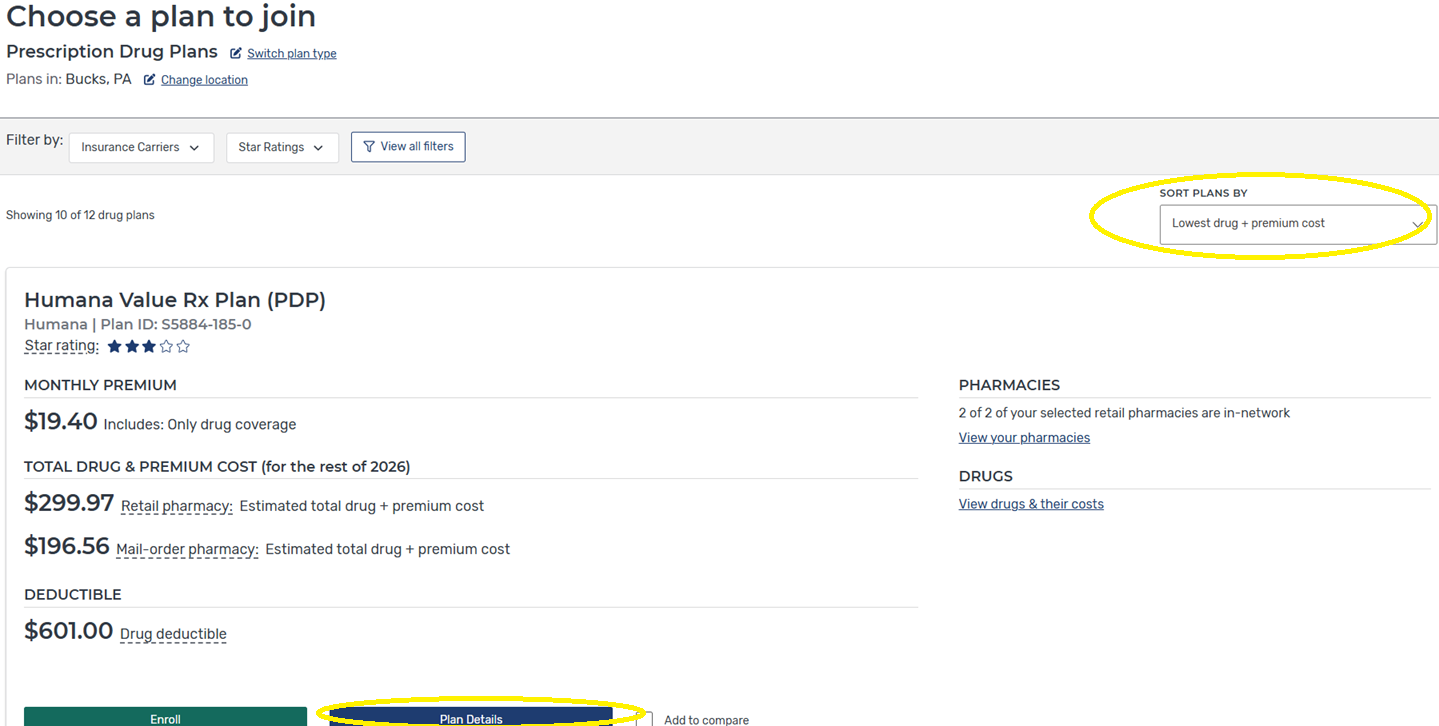
- Review the list of available plans, sorted by lowest drug + premium cost
- Click “Plan Details” on the lowest cost options to see how each of your specific medications is covered.
- Print or Save to PDF the Plan Details Page of the lowest annual cost plan
Focus on “Total Drug & Premium Cost” — not just the monthly premium.
Step 5: Review Plans with Your HTA Advisor
- After comparing plans on Medicare.gov, note the plan with the lowest estimated annual cost.
- At your next appointment, your HTA advisor will review:
-
- The medications you entered
- The plans you’re considering
- Any questions about cost or coverage
-

What to Expect During Annual Enrollment (AEP)