Choosing Your Medicare Part D Plan
A Step-by-Step Guide
Follow the steps below to enter your medications, review options and find the Part D plan that best fits your needs.
Table of Contents

Before You Get Started
- Recent changes to Prescription drug plans have affected how insurance agents can assist clients.
- Most insurance carriers no longer allow agents to assist with enrollment or servicing of standalone Part D plans.
- Because of this, clients must enroll directly through Medicare.gov or the insurance company.
- HTA created this guide to help you navigate the process.
- While we do not receive commissions for Part D plans—and aren’t legally allowed to recommend specific options— we’re happy to answer any questions before you complete your enrollment.

Information to Gather
Before you go to the Medicare website, have these items sitting next to you:
-
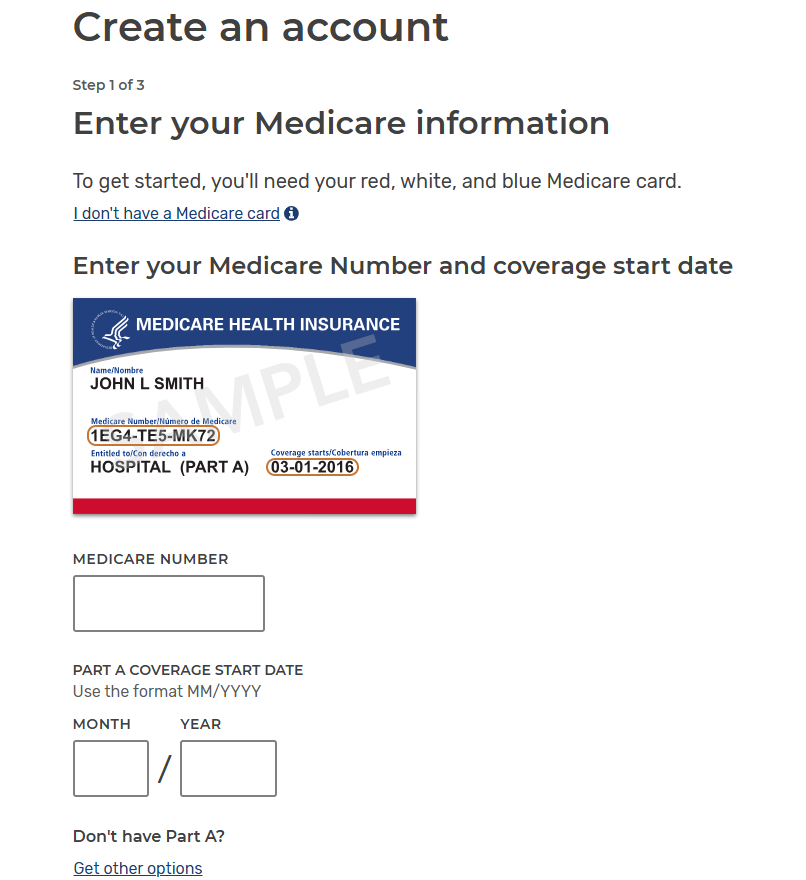
- Your Medicare Card (You’ll need your Medicare Number and start date)
- Your current Prescription Bottles
- Name(s) of your Preferred Pharmacies
Tip: Using the exact medication name and dosage helps Medicare.gov estimate the most accurate costs.
Step 1: Create Your Medicare.gov Account
Once you receive your Medicare number, you should create a Medicare.gov account. This allows you to save your prescriptions and compare drug plans accurately.
Steps to create your account:
-
- Go to www.Medicare.gov
- Enter your Medicare # and Start Date
- Follow the steps to create a username and password
- Complete the account verification process
Step 2: Add Your Prescriptions
Steps to enter medications:
-
- Click Health & Drug Plans at the top of the page
- Select Find Health and Drug Plans
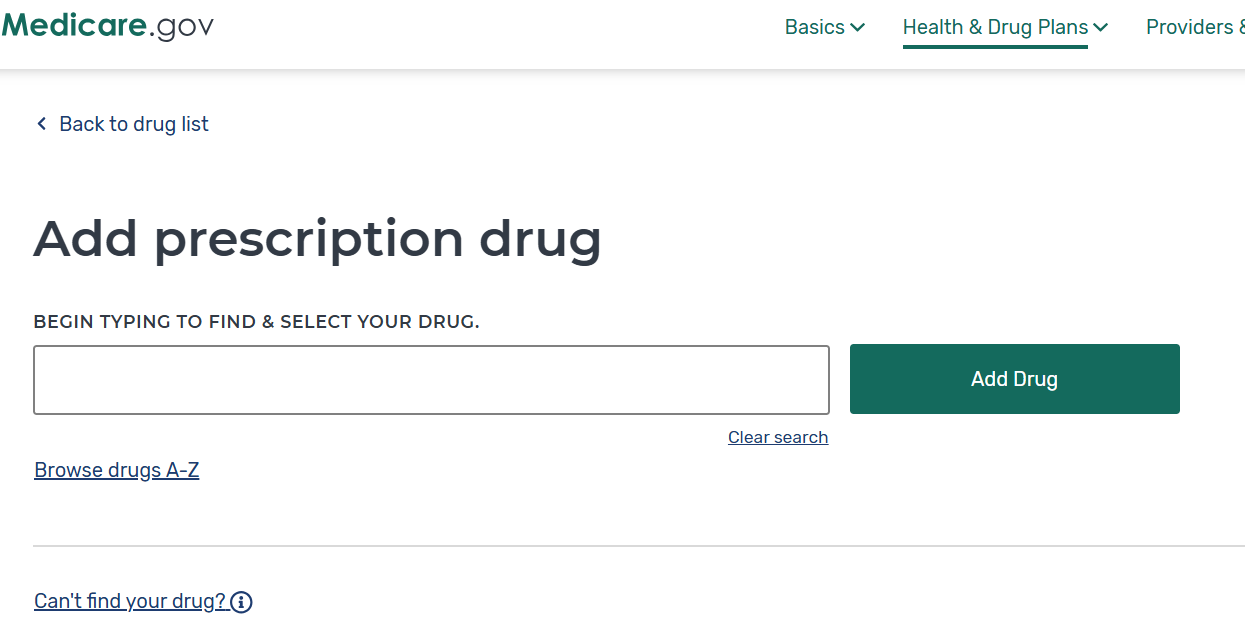
- Under Your Drug List, click + Add a Drug
- Begin typing the name of your medication
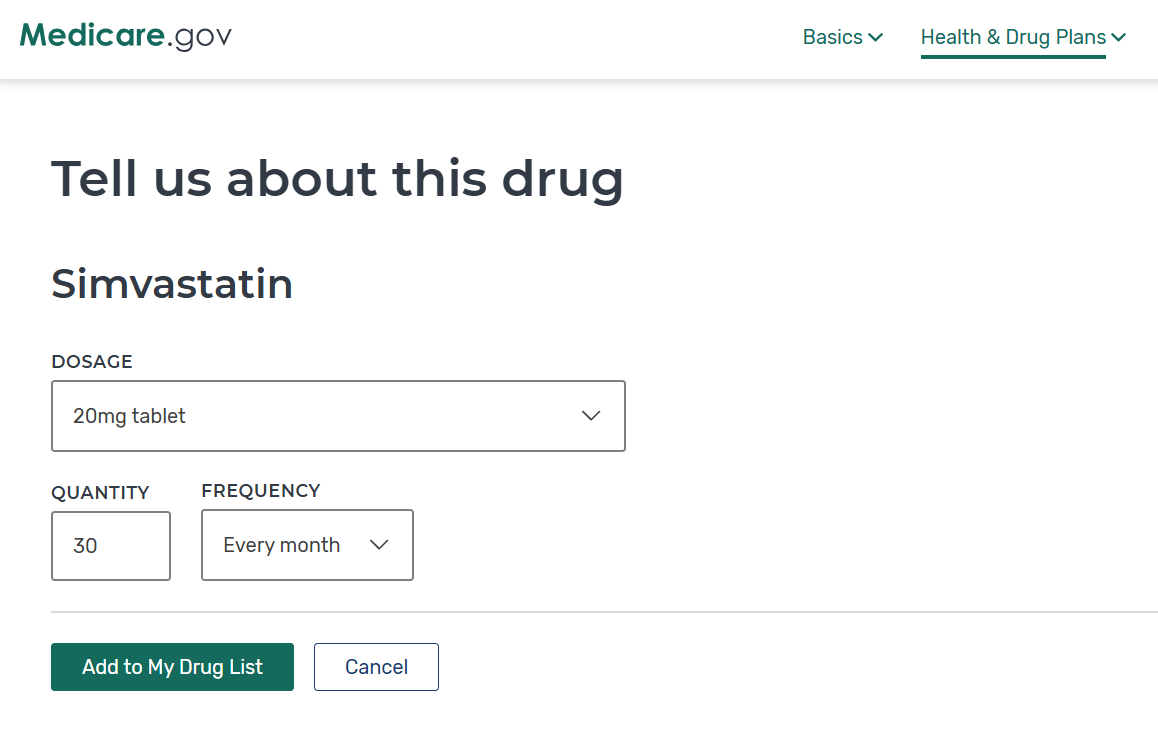
- Select the correct dosage and how often you take the medication
- Click Add to My Drug List
- Repeat this process for all active prescriptions
Tip: Using the exact medication name and dosage helps Medicare.gov estimate the most accurate costs.
Step 3: Choose Your Pharmacy
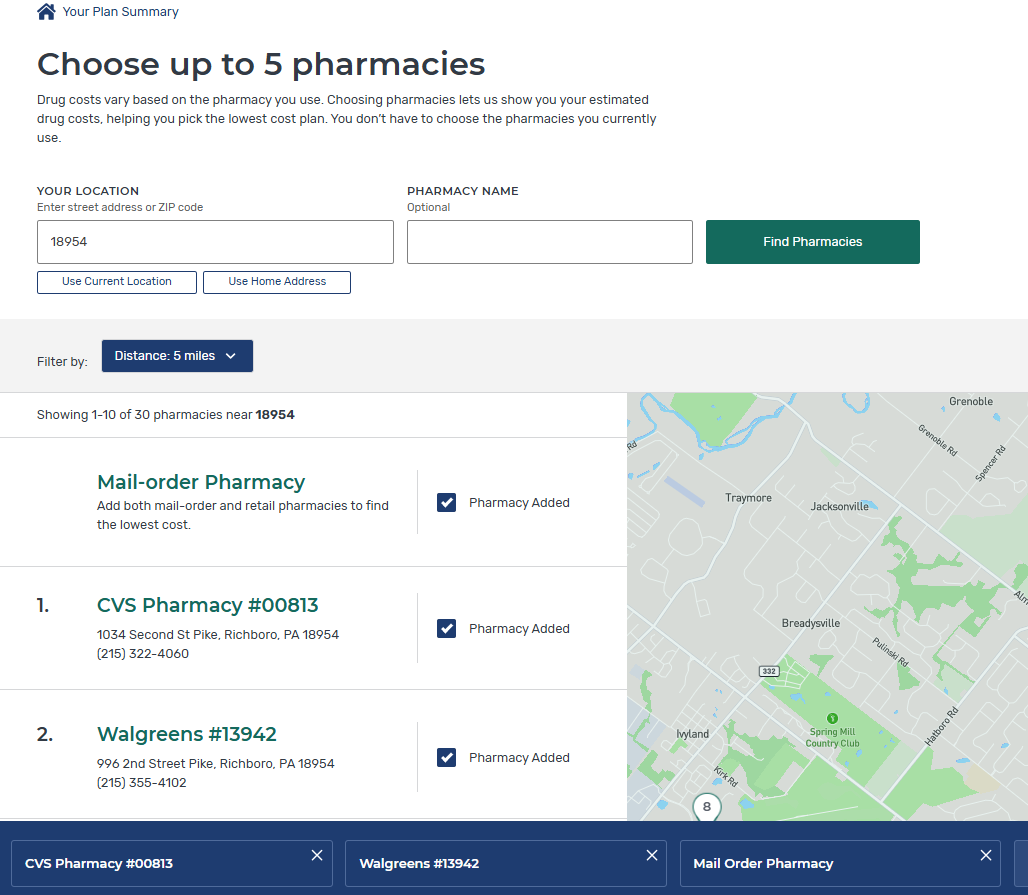
Once your medications are entered, Medicare.gov will ask you to select a pharmacy. Prescription drug costs can vary depending on the pharmacy used.
Steps to add pharmacies
- Enter your ZIP code
- Search for your preferred pharmacy
- Select the pharmacy you typically use
You can select multiple pharmacies to see which one offers the lowest cost for your medications.
Step 4: Compare Plans by Total Annual Cost
-
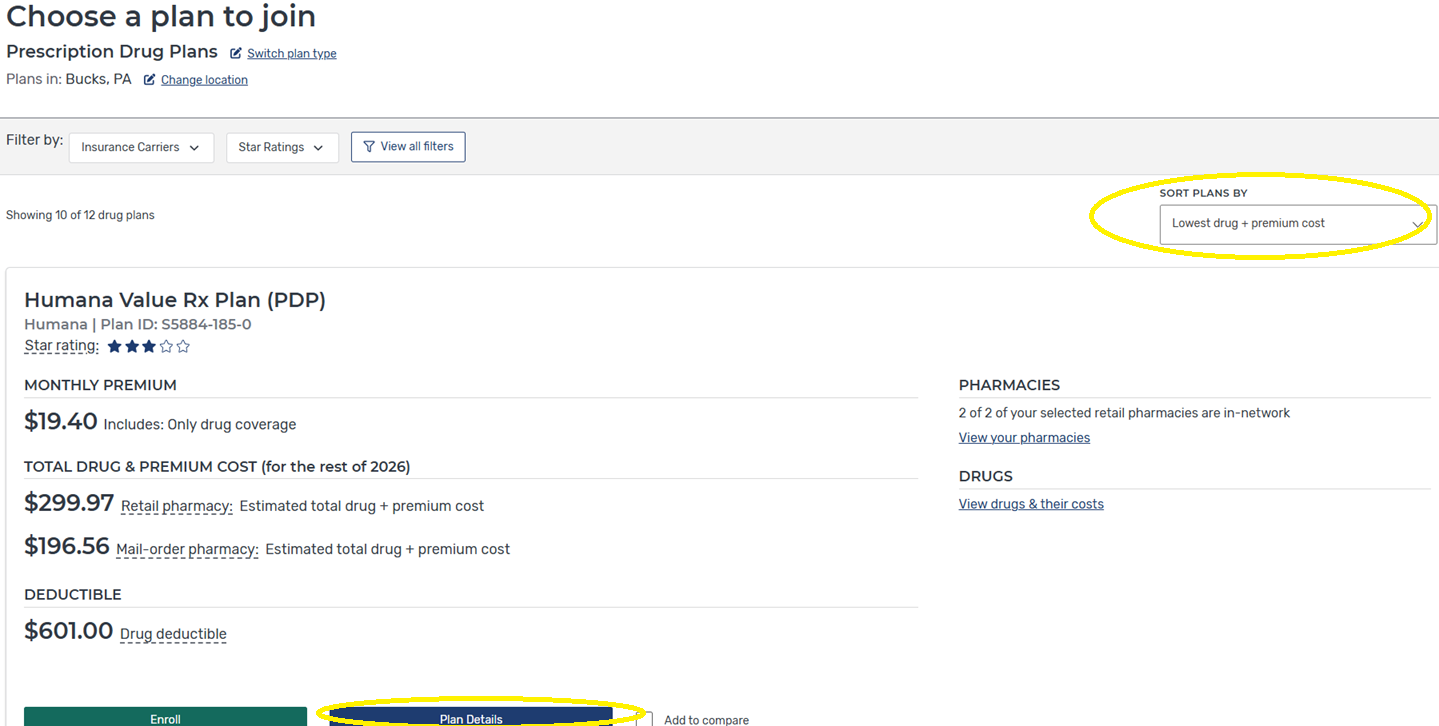
- Review the list of available plans, sorted by lowest drug + premium cost
- Click “Plan Details” on the lowest cost options to see how each of your specific medications is covered.
- Print or Save to PDF the Plan Details Page of the lowest annual cost plan
Focus on “Total Drug & Premium Cost” — not just the monthly premium.
Step 5: Review Plans with Your HTA Advisor
- After comparing plans on Medicare.gov, note the plan with the lowest estimated annual cost.
- At your next appointment, your HTA advisor will review:
-
- The medications you entered
- The plans you’re considering
- Any questions about cost or coverage
-

What to Expect During Annual Enrollment (AEP)